
Stop Hunting for Stock Photos.
Generate Featured Images Instantly.
AI Featured Image Generator creates stunning, photorealistic blog images automatically — using Google Gemini’s Nano Banana models. Works on all your posts. Zero design skills required.
Free Google API key · No subscription · GPL licensed · Works on any WordPress site
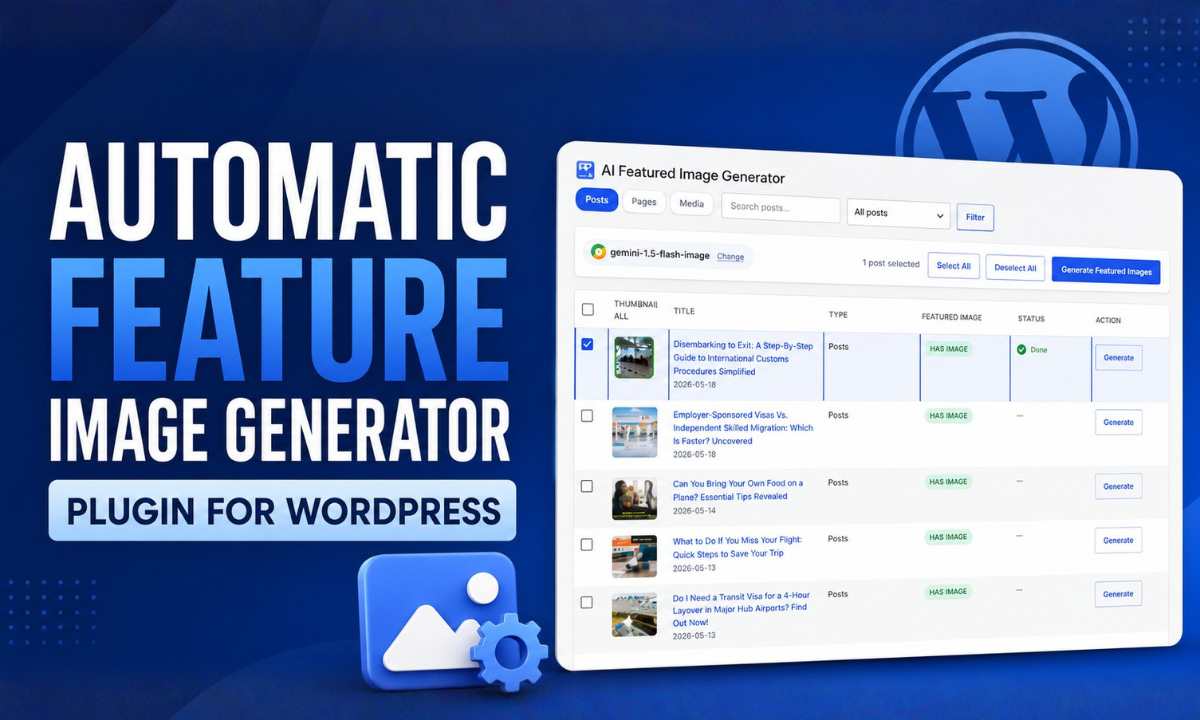
Everything You Need. Nothing You Don’t.
Built specifically for WordPress publishers who value speed, security, and clean results.
Bulk Generation in One Click
Select all posts at once and generate featured images for every single one. A live progress bar tracks each generation in real time.
Auto-Attaches to Posts
Generated images are saved directly to your Media Library and set as the featured image automatically. No manual uploads, ever.
Photorealistic Quality
Powered by Google’s Nano Banana models — the same image AI behind Google AI Studio. Cinematic compositions, vivid colors, no watermarks.
AES-256 Encrypted API Keys
Your Google API key is encrypted before it ever touches the database. Never stored in plaintext. Never logged. Bank-grade security.
Customizable Prompt Template
Control exactly what the AI generates. Use {title} as a placeholder and tune the style to match your brand.
Smart Post Filtering
Filter by post type, search by title, or view only posts without a featured image. Works with posts, pages, and custom post types.
Set Up in Under 5 Minutes
No coding. No complicated setup. Just install, connect, and generate.
Install the Plugin
Download the ZIP file, go to Plugins → Add New → Upload Plugin in your WordPress dashboard, and activate it.
Get Your Free Google API Key Free
Visit aistudio.google.com/app/apikey, sign in with Google, and click Create API Key. Takes 30 seconds. No credit card needed.
Add Your Key & Select a Model
Go to AI Featured Images → Settings, paste your AIzaSy... key, click Validate, choose a Nano Banana model, and save.
Generate Your Featured Images
Go to Generate Images, select your posts, hit the blue button — and watch AI generate and attach photorealistic featured images to every post automatically.
Choose Your AI Model
All three models are available inside the plugin. Switch anytime from Settings.
| Model Name | Model ID | Best For | Cost |
|---|---|---|---|
| Nano Banana 2 Recommended | gemini-3.1-flash-image | Best all-round speed & quality | Free Tier |
| Nano Banana | gemini-2.5-flash-image | High-volume, low latency | Free Tier |
| Nano Banana Pro | gemini-3-pro-image | Professional asset production | Paid Plan |
Google AI Studio’s free tier supports hundreds of image generations per day — more than enough for most blogs.
Built With Security First
Your API key and site data are handled with the same care you’d expect from enterprise software.
AES-256-CBC Encryption
Your API key is encrypted using AES-256-CBC — the same standard used by banks — before being saved to your WordPress database.
Per-Site Encryption Salt
A unique random salt is generated for each WordPress installation. Even if two sites use the same key, the encrypted values will differ.
Nonce-Protected AJAX
Every admin action is verified with a WordPress nonce token, protecting against CSRF attacks and unauthorized requests.
Clean Uninstall
When you delete the plugin, every stored option and encrypted key is removed from your database. Nothing left behind.
Frequently Asked Questions
Everything you need to know before downloading.
Your Posts Deserve Better Than Stock Photos.
Join hundreds of WordPress publishers generating unique, on-brand featured images automatically.
Built by Said Siam Khan